Just SCREENSHOTS

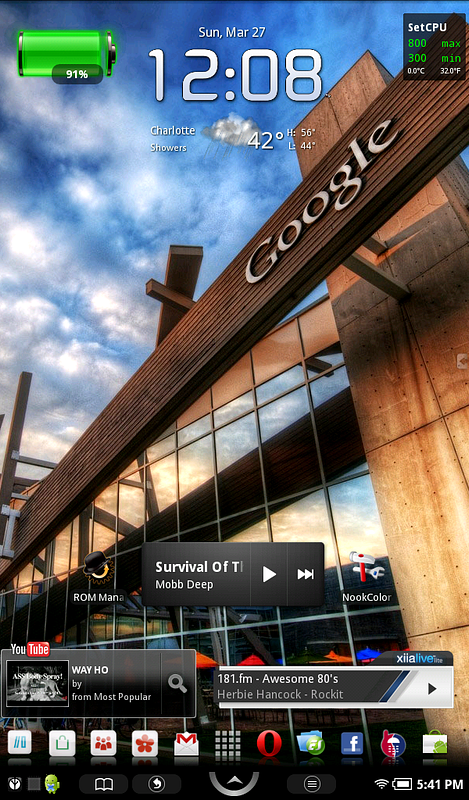
-B&N 1.1 (eclair 2.1)
-Battery Stats widget
-Fancy Widgets app
-SetCPU widget
-Stock music widget
-Xiia Live lite widget
-Youtube widget
-Zeam Launcher

snap20110327_174136.png
 
Today's screen....

48dc59c5-ba7a-f731.jpg


Sent from my NOOKcolor via Androidtablets forum app
 
Thank you for sharing and hope your kids will let you do it again and again ......wellcome to the forum!
Gloria
 
Last edited:
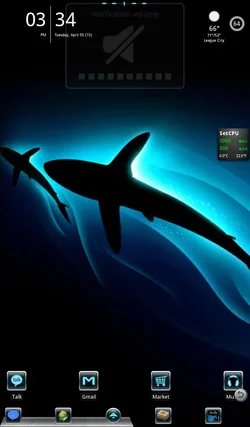
Just a live wallpaper.

ScreenShot.png
 
Last edited:
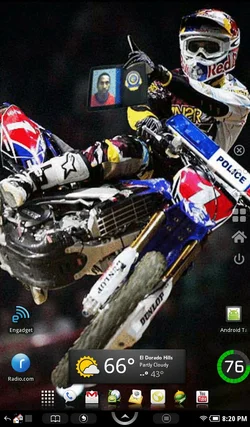
Desktop Visualizer, SketchBookExpress,ANGRY BIRDS
4122be7b-2131-c275.jpg


Sent from my sdk using Android Tablet Forum App
 
i love this - clean and simple - going to get a few widgets you have and set it up similar with a different wallpaper. - - looks great
 
I love this - very nice - -Clean and simple -- going to download some widgets you're using now, but how did you get the widgets to overlap like that?

snap20110324_093134.png


Phiremod Beta v2
LaucherPro
LauncherPro Icons (also custom dock background)
Smooth Calender Widget
1x4 ClockSolo
News and Weather Widget (News feed only)
ColorNote (and yes, I am planning a move)
Launcher Dock (The red ring in the lower left corner)
Power Control Widget (2x1 with Battery %, Brightness level, and Wifi toggle)
and Super Launcher (built into Super Manager, replaces softkeys/button savior) hard to see with this background, but it is a small blue arrow just above the horizon on the right center edge.
 
Last edited:
Last edited:
I love this - very nice - -Clean and simple -- going to download some widgets you're using now, but how did you get the widgets to overlap like that?

I am running at 10 column's and Here is how it worked like that

I put Smooth Calender in the corner...then I put the News/Weather in the other corner.

Then I moved the clock in between them and for some crazy visual reason, they do this overlap thing (which I love because it looks so custom) LOL
 
Back
Top