Coby Tablet 7022 | 1125 | 1126 | 8127 Update ICS Android 4.0 - Is This True?

Who said that coby support dont answer? :D


Dear Customer,

thank you for your request:

simply download the latest update from our website.
Just the same way you updated the first time.

Mit freundlichen Grüßen / With best regards

COBY Support Team

Gonna try this now wish me luck :D !!

 
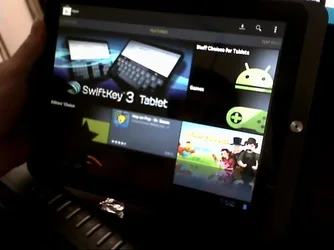
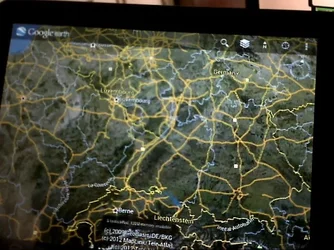
I did a more straight on aproach, for my mid 1126. I just downloaded the updater from coby germany website installed it and done the update. After that I saw that all my applications (including the Google play store and Google Earth) was still installed except the two mentioned were not working again. After that I decited to repeat the process of installing the gapps. I took the SD card from my phone and put the newest gapps zip file on it (Goo.im Downloads - Browsing gapps). Then i turned my tablet on while pressing the volume down button to enter fastboot mode. Then I installed the gapps from there (i used the MID 1125 recovery image that I found first time when I installed the gapps, after first upgade to ICS) (there is a little bit of cmd prompt tinkerig) . After that I restarted the tablet and now I have fully working gapps on it including Google maps, Google earth, Google play store etc.

$Picture 63.webp$Picture 66.webp

After a first look I can see that coby did some memory and cpu optimization (my tablet is a bit faster :D) also my ui animations are not laggy like before and I do not have wifi connection problems.

I still can't figure out how to access my usb stick or sd card cuz sci, and sata folders that worked in 2.3.3 doesen't do the job. So if anyone have info about that tell me ;D !! Solved with other file manager (File manager HD) not default manager (with ES manager I couldn't find the way to acces /mnt/).
 
Last edited:
Do you have any problem in download regarding "low space"?

It happened in the first time. i got the icon of low disk space and failed the download. after that i clean my nand memory of excessive apps and now i can download with any kind of problems. my only problem is after the download...
 
Who said that coby support dont answer? :D


Dear Customer,

thank you for your request:

simply download the latest update from our website.
Just the same way you updated the first time.

Mit freundlichen Grüßen / With best regards

COBY Support Team

Gonna try this now wish me luck :D !!


Certainly didn't work for me... I just get the robot with the exclamation on reboot :(
 
Today i've receive a reply from Coby support.

"Dear Customer,
thank you for your request:
Please press the reset button.
After the device has boot up try the update again.
The exclamation mark shows you that the download failed and some files for the update are corrupt. To avoid the unit to be completely useless the update was not done.
Mit freundlichen Grüßen / With best regards
COBY Support Team""

Even so, this was the solution i've tried for the last twenty times...


I tried repeatedly to get the update to work (4.0 already installed, then updating to new build). The update would complete, install, then reboot to the Android barf screen (dead OS screen). Resetting would get it back but it would not be updated.

The only way I got it to work was to restore a backup of 2.3.3, then re-do the update process. It worked, went from build 0013 to build 0025. No obvious improvements.... still issues with all flash and videos, as well as Youtube not able to seek. All of that is working in 2.3.3 so I no longer see any reason to upgrade unless you MUST have the Google apps from 4.0.
 
I tried repeatedly to get the update to work (4.0 already installed, then updating to new build). The update would complete, install, then reboot to the Android barf screen (dead OS screen). Resetting would get it back but it would not be updated.

The only way I got it to work was to restore a backup of 2.3.3, then re-do the update process. It worked, went from build 0013 to build 0025. No obvious improvements.... still issues with all flash and videos, as well as Youtube not able to seek. All of that is working in 2.3.3 so I no longer see any reason to upgrade unless you MUST have the Google apps from 4.0.

Jax, please check your pm's brother.
 
hi guys, im stuck on the android exclamation, and i was wondering how to install the new update. i tried reseting but it wont work. And i dont know how or what the backup is. please reply asap!!!:(
 
Ok, Good news for those like me that were getting the android with exclamation mark when trying to update with German new update.
Wincha from the Coby Kyros Free Roms forum, managed to get it working. Go there (link bellow) and follow the procedures. Worked for me.
Note: First time i got stuck in Coby logo, second time i've use the Cleaner first and then install the update and worked fine, so i advise to use the cleaner first. Everything is done with CWM (install zip from SDCARD option)

All credits to Wincha: Coby Kyros Free Roms - Login

Regards
 
Zorbar, would you mind doing a backup and posting it for us?
 
Zorbar, would you mind doing a backup and posting it for us?
just follow the guide and you'll be able to install everything trough CWM.
I've installed ics gapps, but i'm getting a lot of problems with authentication of my google account. any way to solve this? gmail, youtube apk can't authenticate...
 
Hi

Anyone got a copy of the 1126 specific update?

The 1125 version isn't working, I have no backup, and so cant even boot the tablet to download the rom :(
 
Anyone got a copy of the 1126 specific update?

It looks like Coby Germany may have pulled the plug on the ICS 4.0.3 update. Whether this is temporary or permanent is not known. If you check the link: Consumer Entertainment Products for Home, Office or On the Go! | COBY you will get the message "Due to technical reasons this page is not available."

Not exactly sure what is going on, but both the US and German websites have changed recently. The German site now only lists the older tablets (7022, 7127, 8127, 8128, 1125, 1125WAN, 1126) that were supported in the 4.0.x update but without the upgrade link. The German website does not yet list the newer models although these are seen in images elsewhere on the site. I expect to see the newer models listed in the near future

The US site also dropped the older models (leaving only 7022, 7127, 8127, 1125 and 1126) and shows all the newer (7033, 7055, 8042, 9042, 9742, 1042 and 1045) tablet models. Things are shifting...
 
Last edited:
Back
Top